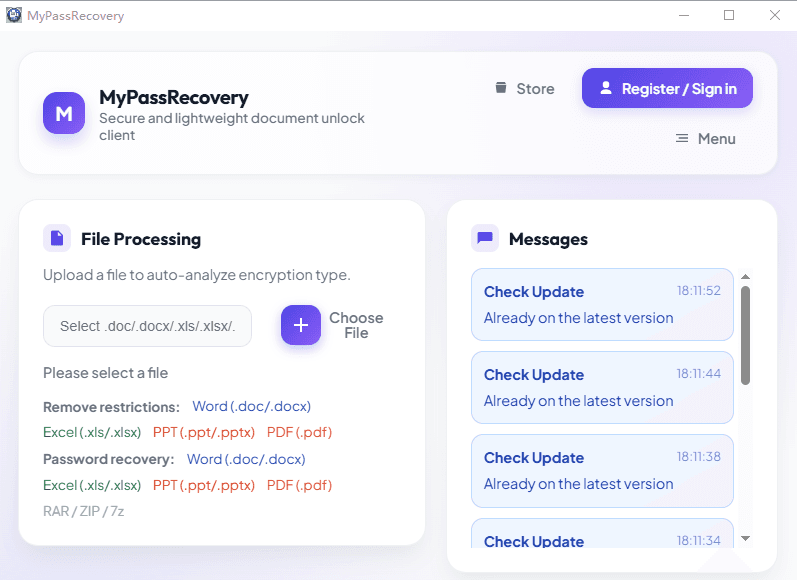
Recover Passwords for Office, PDF and Archive Files

Start with a private, no-login local check. Use cloud GPU recovery only when a larger dictionary, numeric mask or combination search is needed.

Start a free local check

Two clear processing modes

Keep simple tasks local. Scale difficult searches in the cloud.

Free local mode

Private quick check

  • No login and no upload for supported local workflows
  • More than 500,000 common password candidates
  • No 8-digit numeric brute force
  • Approximately 10 minutes maximum per free run
  • Direct local removal for supported worksheet, editing and PDF permission restrictions

Subscribed cloud mode

Broader GPU search

  • Large dictionaries and rule expansion
  • 8-digit numeric and combination modes
  • Priority GPU queue and account task tracking
  • More attempts and broader search coverage
  • Improves success probability, but does not guarantee recovery

Choose the exact workflow

22 password recovery and restriction-removal tools

Windows password recovery

Free common-password check first, then optional subscribed cloud recovery.

macOS password recovery

Dedicated recovery entry points for Mac users and every supported file type.

Windows restriction removal

For files that already open but block editing, printing, copying or workbook changes.

macOS restriction removal

Local restriction-removal workflows for supported Office and PDF files on Mac.

Predictable subscription value

Use deterministic removal before spending compute on password recovery

If a Word, Excel, PowerPoint or PDF file already opens, MyPassRecovery first checks whether the problem is an editing or permission restriction. Supported worksheet protection, document editing restrictions and PDF owner permissions can be removed directly without recovering the original password. True file-open encryption is routed to password recovery.

Compare subscription plans